About the game
Game idea
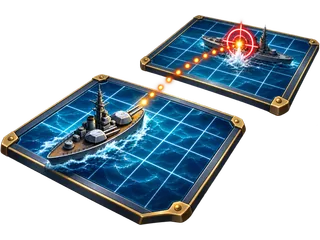
Fleet Battle is a search duel with hidden fleets. You know your own arrangement and use hits and misses to infer the locations of the opposing ships.
What matters
After a hit, consider the possible direction of the ship. Your own fleet can also be spread so that discovering one area reveals little about the remaining vessels.
This version
This version allows several misses per turn, while hits extend your firing sequence. Before the start, change the fleet manually or generate a new automatic arrangement.
Fleet Battle: how to play and options
Goal and key rules
Sink all five opposing ships before the computer. Each turn allows three misses; hits let you keep firing and do not reset accumulated misses. Unknown opposing ships remain hidden.
Controls
Move the ships already on your board and rotate the selected ship with the button or R. Automatic rearranges the fleet. After setting sail, choose unshot cells in the opposing sea.
Playing tips
Search systematically rather than randomly. After a hit, follow possible ship directions. Ships may touch in this version, so neighbouring cells remain possible targets after a sinking.
Settings and variants
Three computer strengths change targeting. Admiral uses hit patterns and possible ship positions but does not know your hidden fleet. Fleet placement remains a separate preparation after starting the game.
Display and sound
The timer display can be shown or hidden. Reduced motion limits effects while keeping necessary game movement visible. Sound can be switched on or off independently. Adjustable volume: Shot, Water splash, Hit, Ship sunk, Victory, Defeat.
On a new page visit, Start game begins a fresh round using your saved preferences. An abandoned round does not resume automatically. Game information explains further scoring details and available assists.