About Matchstick Geometry
A new outline with one move
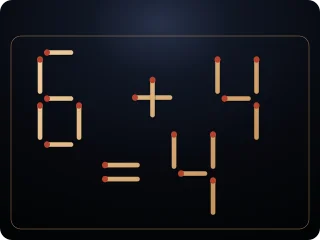
Make complete squares or triangles from matchsticks. Choose a geometry in Settings and one, two or three moves above the board. Each of the six combinations has 50 levels with a verified minimum.
Count the big ones too
Look beyond the smallest shapes: larger squares and triangles count as well. Shared sides help, but every match must belong to a complete shape at the end.
300 calm geometry puzzles
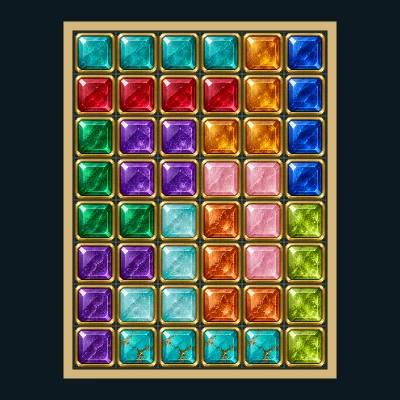
Touch controls, animated undo and two-stage hints help you explore. Elastic entrances and golden confetti accompany each round. After solving, Replay shows the route slowly without changing your result.
Rules, controls and settings
Goal and counting
The task bubble above the matches names the requested shapes and exact total. Use exactly the move count selected above the board. Transfer one match to an empty marked slot; rotation is allowed.
Count every complete shape, including larger shapes composed of several matches. Shared sides may count for several shapes. Every match must belong to at least one complete shape of the requested kind. Overlapping matches, extra pieces, rectangles and other shapes do not satisfy the goal.
Move and choose actions
Tap a match, then a free slot, or drag it there. Tab and Enter or Space work too; Escape cancels selection. Matches fly into place and Undo flies them back.
Below the board, Task, the action menu and OK sit in one row. Task opens or closes the floating task bubble. Its cross stays fixed while the text scrolls inside. Choose an action and press OK to execute it. Reset asks before discarding an attempt; Check shows brief feedback.
Find a solution
Look for shared sides and larger outlines. Four small squares inside a large square count as five squares. A larger triangle counts in addition to any smaller triangles inside it.
Keep Hint selected: the first OK blinks a source match for two seconds; the next OK blinks its destination. Each stage counts as an aid. If a wrong move blocks the solution, the hint shows the last match and its return slot. Putting it back frees the spent move.
Levels, replay and display
Choose Squares or Triangles in Settings. Above the board, select one, two or three matches to move. Every combination has 50 distinct levels: 150 square levels and 150 triangle levels, 300 total. Changing the move count starts level 1 of that geometry immediately.
Settings lists the 50 levels for the chosen geometry and current move count. A geometry or level change applies after Save and asks before replacing an active attempt. Puzzle and Next puzzle stay in that combination and wrap 50 to 1. Replay preserves your result.
Display and sound
The timer display can be shown or hidden. Reduced motion limits effects while keeping necessary game movement visible. Sound can be switched on or off independently. A volume slider is also available.
Only preferences persist. Each visit starts a fresh attempt; account saves and rankings are disabled.