Picture Cube

Game preview: Picture Cube

SIZE3 × 3
MOVES0
HELP0

Picture Cube

Inspect all six solved pictures, then start the game.

Turn cubie

Game menu

Settings

Sound

35 %
45 %
45 %

Picture Cube

Interactive demo

The demo analyses your current cube and shows a quick verified solution with the finger. Your game is restored exactly afterwards.

How to play

Inspecting and mixing pictures

Choose 2 × 2, 3 × 3 or 4 × 4 and inspect the six finished pictures. Start visibly mixes the small cubes.

Orienting individual cubes

Drag directly on the cube to rotate the view. Select a small cube and turn it with the available direction pairs. The selected small cube turns, rather than a complete layer. The same visible field remains selected for further turns. Dragging left or right turns the cube upright around its vertical axis, without rolling sideways. Dragging up or down tilts the view by at most 85 degrees. Center returns the view to its starting position. Center and Help are stacked on the right.

Completed sides and help

A completed picture locks its participating small cubes, including their parts on neighbouring sides. For help, select a misoriented cube; it is turned correctly automatically. Each aid and its resulting turns are counted.

Pausing and saved games

A registered account can hold your unfinished Picture Cube in one of the three shared save slots until you return to its images.

Round data

Moves, aids used and active play time describe your current solution. Public records and leaderboards are not currently enabled for this game.

NEW GAME

Mix a new cube?

Your current progress will be lost.

SIX PICTURES COMPLETE

Beautifully restored.

Every picture is complete on its cube side.

0MOVES
0UNDOS
0HELP
0:00TIME

Leave game?

Do you really want to leave the game and return to the home page?

About the game

Game idea

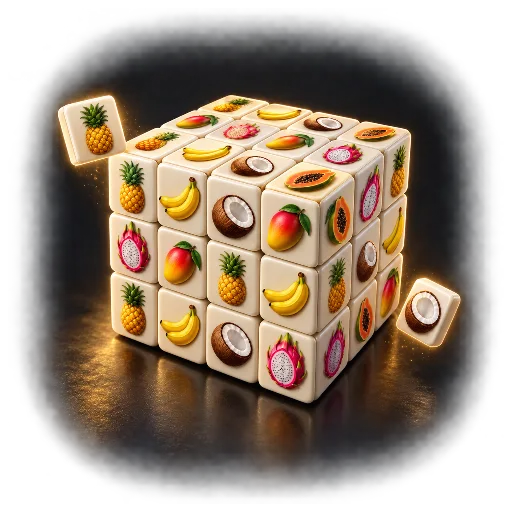
Picture Cube is a spatial picture puzzle with six images. Orient individual small cubes until the picture faces are assembled again.

What matters

This differs from a traditional twisty cube with moving layers. The task concerns each small cube’s orientation and the pictures it forms with its neighbours.

This version

Cube sizes from 2 × 2 to 4 × 4 change the number of picture fragments. Completed sides lock their participating cubes; help supports work on the remaining images.

Picture Cube: how to play and options

Goal and key rules

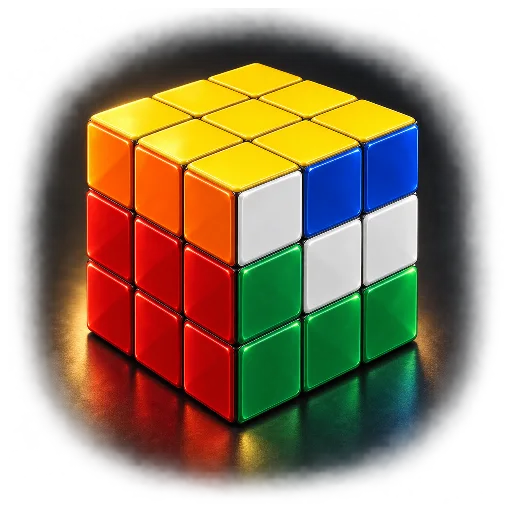
Restore six pictures by orienting individual small cubies. Unlike a classic colour cube, this turns a selected cubie rather than a whole layer. Completed picture faces lock their participating cubies.

Controls

Drag directly on the cube to rotate the view. Select a cubie, then an available direction pair. Help automatically orients a selected incorrect cubie and counts as assistance. Dragging left or right turns the cube upright around its vertical axis, without rolling sideways. Dragging up or down tilts the view by at most 85 degrees. Center returns the view to its starting position. Center and Help are stacked on the right.

Playing tips

Check neighbouring pictures on edge cubies too. A fragment that looks correct on one face may still be wrong on another. Start with distinctive subjects and inspect adjoining edges.

Settings and variants

Picture category and cube size define the puzzle. Turn speed affects the presentation of a turn. All six faces use pictures from the selected category.

  • Picture category: Fast Food, Beverages, Dinosaurs, Tropical, Cats & Dogs.
  • Cube size: 2 × 2, 3 × 3, 4 × 4.
  • Turning speed: Fast, Balanced, Relaxed, Slow, Very slow.

Display and sound

The timer display can be shown or hidden. Reduced motion limits effects while keeping necessary game movement visible. Sound can be switched on or off independently. Adjustable volume: Cube turn, Picture complete, Cube complete.

On a new page visit, Start game begins a fresh round using your saved preferences. An abandoned round does not resume automatically. Game information explains further scoring details and available assists.