About the game
Game idea
Gravity Labyrinth is a ball puzzle on a rotating disc. Rather than moving the ball directly, you change its surroundings and let gravity act.
What matters
Small rotations offer more control than rapid direction changes. Before a narrow passage, consider where the ball can settle and which barrier needs to open next.
This version
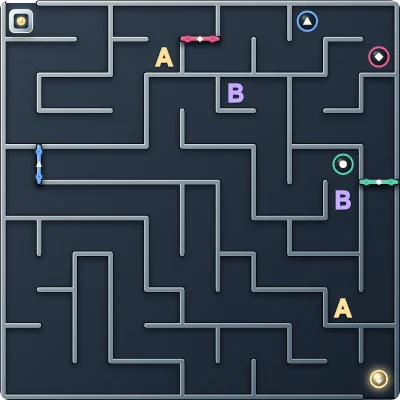
Eleven levels lead through coloured intermediate targets to the centre. Optional device tilt and a jump impulse are available, while tall walls and closed barriers remain obstacles.
Gravity Labyrinth: how to play and options
Goal and key rules
Use gravity to guide the ball to the centre. Reach green, then blue, then violet first. Each opens its matching barrier; only then does the route to the golden centre become available.
Controls
Drag to rotate the disc or use Left/Right. Compatible mobile devices can use tilt after permission. Jump or J gives a short impulse; Space pauses. Sensor control and calibration have separate controls.
Playing tips
Rotate slowly before the ball reaches a narrow opening. Strong movements increase the risk of missing a target. Jumping can help but cannot replace the target order or opening blocked paths.
Settings and variants
Eleven levels are available. Ball size and jump strength are adjusted beside the game. Sensors depend on the device; rotation controls remain available without tilt support.
Display and sound
The timer display can be shown or hidden. Reduced motion limits effects while keeping necessary game movement visible. Sound can be switched on or off independently. Adjustable volume: Wall contact, Open a gate, Victory.
On a new page visit, Start game begins a fresh round using your saved preferences. An abandoned round does not resume automatically. Game information explains further scoring details and available assists.